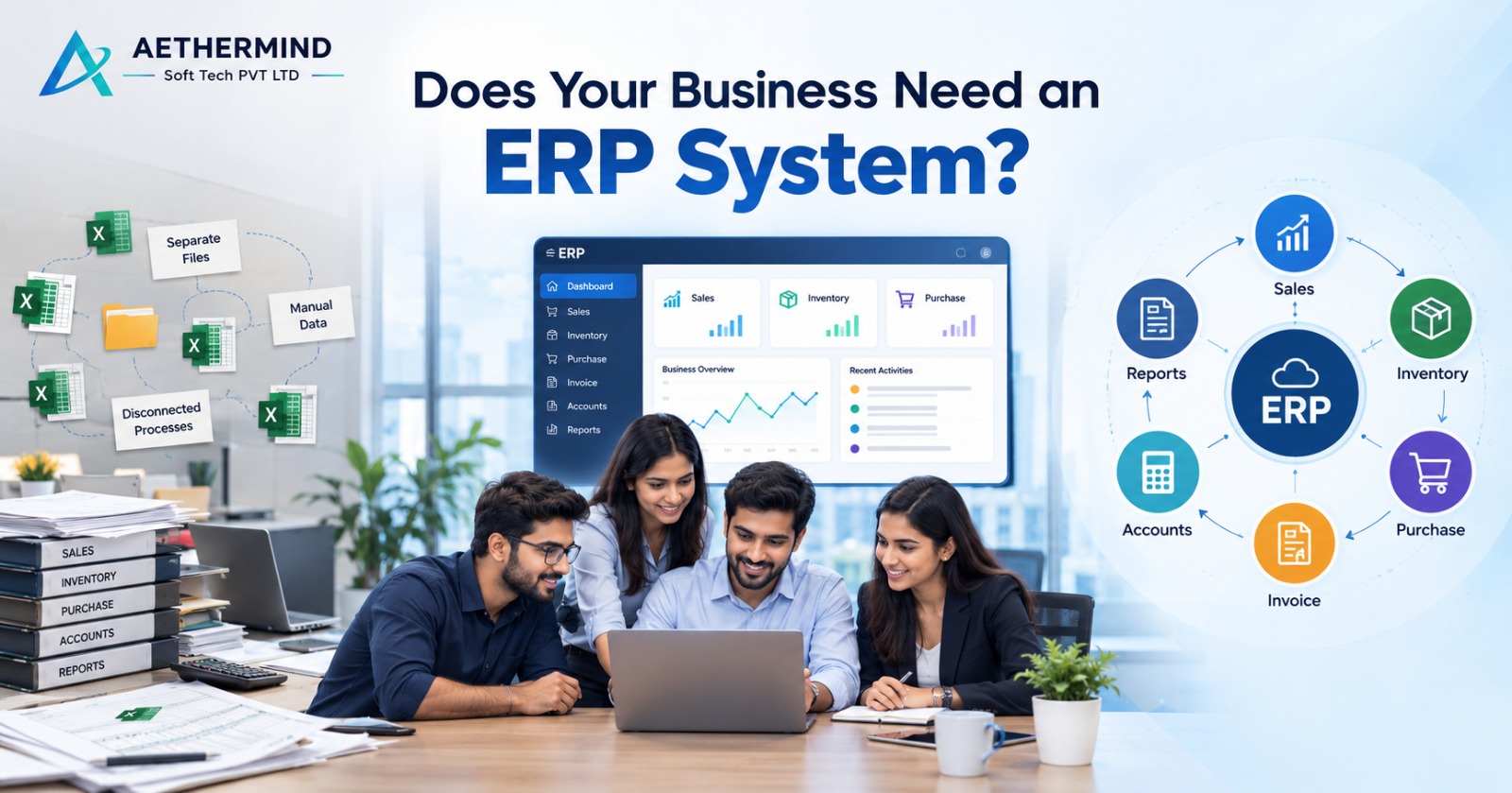
Does Your Business Need an ERP System? 10 Signs It’s Time to Upgrade
As organizations grow, spreadsheet friction and fragmented systems create significant operational blindspots. Modern ERP bridges sales, inventory, and finance into an integrated digital engine.
As your business grows, managing sales, inventory, purchasing, accounts, employees, and reporting through Excel sheets and multiple software systems can become increasingly difficult.
If your team spends too much time on manual data entry, searching for information, correcting errors, or preparing reports, it may be time to consider ERP software for your business.
“But how do you know when your business actually needs an ERP system?”
Here are 10 common signs that it may be time to upgrade:
You Depend on Multiple Excel Sheets
Using separate Excel spreadsheets for sales, inventory, purchases, expenses, and accounts can result in duplicate data, errors, and outdated information. An ERP system brings important business data into one centralized platform, helping your team work with consistent information.
You Cannot Access Real-Time Information
Do managers have to ask employees for current sales figures, stock levels, payments, or business reports? An ERP system for business can provide real-time access to important information, making it easier to monitor operations and make informed decisions.
Different Departments Use Different Data
When sales, inventory, purchasing, and accounts maintain separate records, differences and data inconsistencies can occur. ERP software connects departments through a centralized system, helping information move smoothly between business functions.
Inventory Is Difficult to Manage
Managing multiple products, warehouses, branches, purchases, returns, and stock transfers can become complicated as your business expands. An ERP solution can connect inventory management with sales and purchasing, helping businesses maintain better visibility over stock.
Your Business Has Multiple Branches
Managing multiple branches using separate spreadsheets or systems can make it difficult to understand overall business performance. ERP software can provide centralized visibility into branch sales, inventory, expenses, purchases, and performance, while still allowing individual locations to manage their operations.
Reporting Takes Too Much Time
If employees spend hours collecting information from different files and systems before creating reports, your business may be ready for automation. Business management software and ERP systems can automate reporting and provide dashboards for faster access to key business information.
Employees Enter the Same Data Repeatedly
Entering the same customer, product, invoice, or transaction information into multiple systems wastes time and increases the possibility of errors. ERP can connect business processes and reduce duplicate data entry, allowing employees to spend more time on productive activities.
Your Business Is Growing
Growth often means more customers, employees, products, transactions, suppliers, and locations. Tools that worked when your business was small may become difficult to manage at a larger scale. ERP for growing businesses can help organize increasing operational complexity and provide a scalable technology foundation.
Important Processes Depend on One Person
If only one employee understands your spreadsheets, reports, accounting process, or internal workflow, your business may face unnecessary operational risk. ERP software can help standardize processes, centralize information, and document workflows, making business operations less dependent on individual employees.
You Want to Automate Your Business
If your goal is to reduce manual work and connect your major business processes, ERP may be worth evaluating. A typical connected workflow can look like: Sales → Inventory → Purchase → Invoice → Accounts → Reports. Instead of managing each process separately, ERP software can connect them through one system.
Typical Connected Enterprise Workflow:
Benefits of ERP Software for Businesses
A properly implemented ERP system can help businesses:
Centralize Business Data
Consolidate all corporate records, financials, and logs into a single secure system.
Reduce Manual Data Entry
Cut human error and eliminate hours of repetitive, redundant manual typing.
Improve Inventory Visibility
Gain real-time stock clarity across multiple godowns, stores, and warehouses.
Connect Different Departments
Ensure seamless cross-communication between sales, purchase, warehouse, and finance.
Automate Repetitive Processes
Trigger automated purchase orders, billing approvals, and status notifications.
Generate Reports Faster
Produce financial balance sheets, GST reports, and performance analytics instantly.
Improve Operational Visibility
Monitor key business indicators and operations in real-time from anywhere.
Support Multiple Branches
Expand across cities and states with unified multi-location branch management.
Standardize Business Workflows
Implement structured business rules, approval hierarchies, and role permissions.
Scale Operations More Efficiently
Grow sales and customer volume without needing proportional back-office hires.
How to Choose the Right ERP Software
Before selecting an ERP solution, consider:
Your Current Business Challenges
Pinpoint the specific friction points, bottlenecks, and manual inefficiencies in your workflow.
Required ERP Modules & Features
Identify essential capabilities: CRM, Billing, Stock Control, Procurement, HRMS, or Production.
Industry-Specific Requirements
Ensure the software adheres to the specialized workflow of your commercial vertical.
Integrations with Existing Software
Verify connectivity with existing payment gateways, accounting software, and eCommerce channels.
Number of Users and Branches
Evaluate flexible user licensing and multi-branch infrastructure scalability.
Customization Requirements
Choose an agile system tailored to your company's proprietary operational methods.
Implementation Timeline
Establish transparent timelines for database migration, configuration, and rollout.
Training and Support
Prioritize technology partners providing comprehensive staff training and dedicated local support.
Future Business Growth
Select a future-ready platform that seamlessly scales as transaction volume multiplies.
“The right ERP should solve real business problems and improve your workflows—not simply add another software system.”
Aethermind Soft Tech – ERP Solutions for Businesses
At Aethermind Soft Tech, we help businesses build connected digital processes through ERP, CRM, custom software, and business automation solutions.
We first understand your business requirements, workflows, and challenges and then help identify a suitable technology approach.
Ready to Explore ERP for Your Business?
If your business is growing and manual processes are becoming difficult to manage, connect with Aethermind Soft Tech to discuss your ERP requirements.
ERP. CRM. Custom Software. Automation.
Connect your business. Simplify your work.

Aethermind Soft Tech Editorial
Publishing insights on ERP, CRM, custom software architecture, and process automation for growing enterprises.